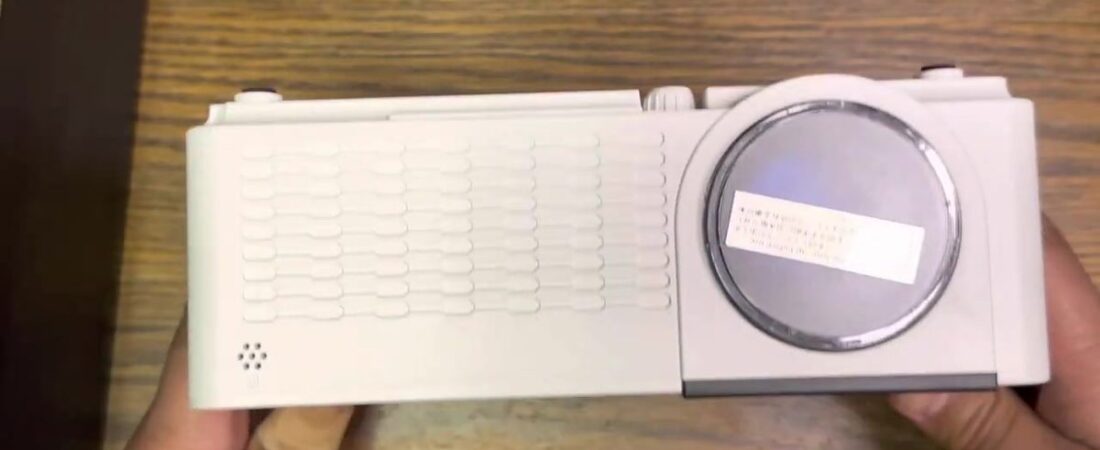
I unboxed this and set up a living-room movie wall. Sheet hung in front of the TV. It took work. I ran it.
I called it the BJH HD Projector.
What did I actually put on the sheet?
It runs 1080 on the image. Still a great product.
Out of the box the lens was nice and clean. Cap for the lens. Cables in the box. Major buttons on the front.
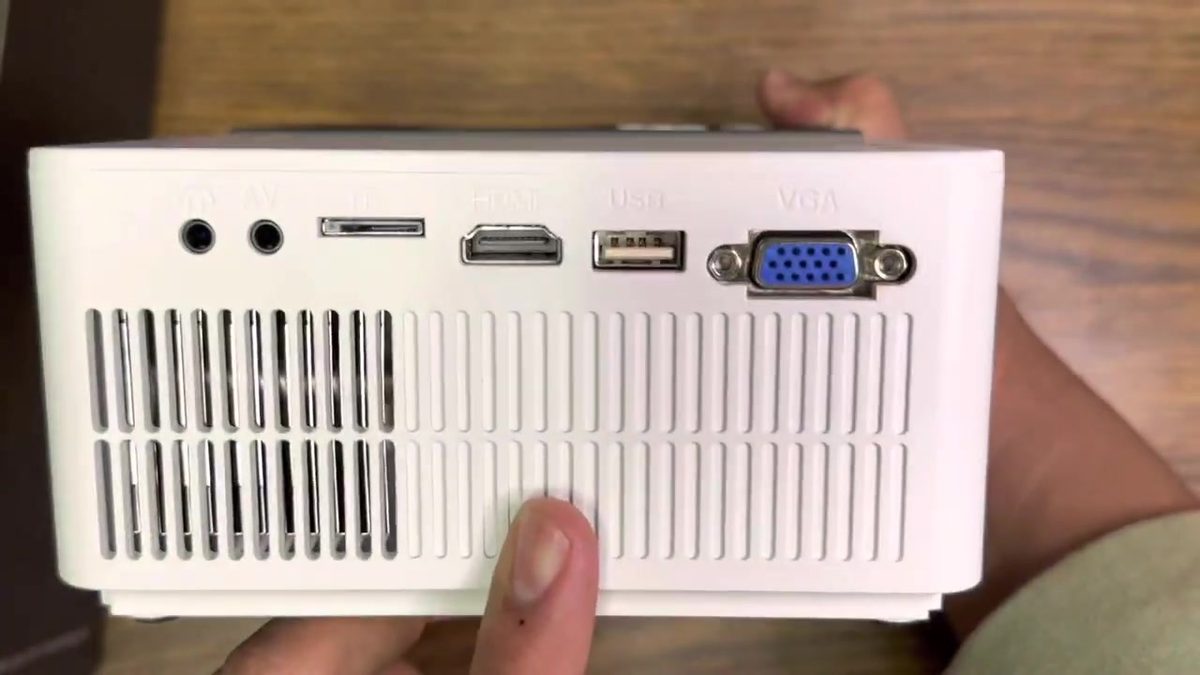
Ports I named: headphone. AV. HDMI. USB. VGA. That’s versatile — DVD players, smart TVs, Roku sticks, Apple TV.
Android share. Miracast. Apple AirPlay. I called that fantastic. I absolutely love that.
That’s how I used it. Apple TV into the projector over HDMI. AirPlay to a HomePod Mini so the HomePod and the built-in projector speakers played together.
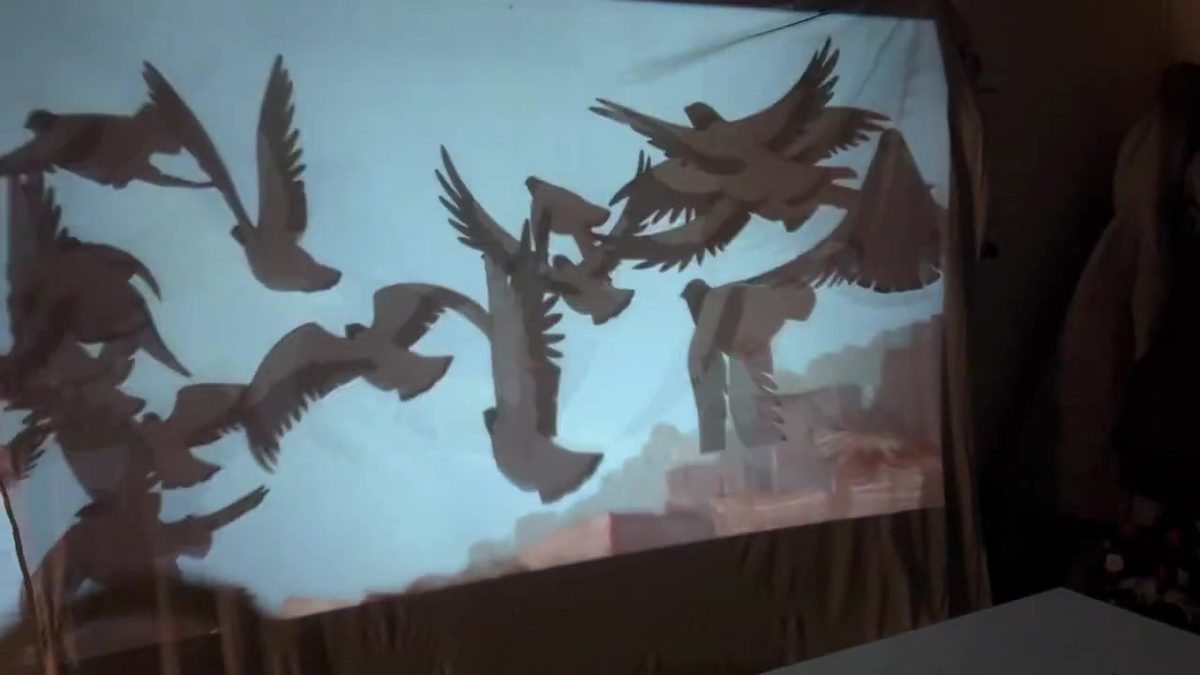
Sheet hung as the wall. What I threw on it: a car and llama clip. The Prince of Egypt. My YouTube page. Pigeons hit the sheet in the still. I did not log brightness or throw distance — this was the living-room setup I filmed.
Do you need a speaker with this projector?
I ran it both ways so you could hear it.
First: HomePod Mini plus the built-in speakers. HomePod is in the shot.
Then I pulled the HomePod and left just the projector speakers.
Night and day. The second I disconnected the HomePod you could tell. In person it was even more dramatic.
I said an external speaker with this is highly beneficial. Plan on something extra for sound if movie night matters.
It was a lot of fun getting to test this thing out. Setting up the living / entertainment space took work.
Pros and cons
Pros
- 1080 on the image — I called it a great product.
- Lens clean out of the box; cap + cables in the box; major front buttons.
- Ports: headphone, AV, HDMI, USB, VGA — Roku / Apple TV / DVD / smart-TV friendly.
- Android share, Miracast, and Apple AirPlay — I said fantastic / absolutely love that.
- Apple TV over HDMI + AirPlay to HomePod Mini shown on camera.
- Sheet-wall living-room movie setup actually filmed.
Cons
- Built-in speakers alone are a night-and-day drop vs HomePod + built-ins — external speaker highly beneficial.
- Setup took a lot of work (sheet / living entertainment space).
- Short video — no brightness log, no throw measure, no dark-room grade beyond what you see.
- No spoken WiFi / 5G / Bluetooth / lumen / dollar lock in my video — check the live listing.
- Exact unit from the video is out of stock — the link below is the closest in-stock listing, not the exact unit in my video.
Is the BJH HD projector worth hanging a sheet for?
Who should buy it: You want 1080 on a sheet, AirPlay / Android share / Miracast, and a box that takes HDMI and a Roku or Apple TV — and you’re fine adding an external speaker.
Who should skip it (from my video): You’re counting on the built-in speakers alone for movie sound. Pull the HomePod and it’s night and day.
If that matches, this is the one I ran.
The exact BJH from the video is out of stock. A similar option if you want to buy one now: https://www.amazon.com/dp/B0FXMKMWB3?tag=keliidamen-la-20
The other budget HD I actually projected: https://ohanareviewsblog.com/auking-hd-projector/
The two Capsules I bought to compare: https://ohanareviewsblog.com/nebula-capsule-3-vs-capsule-3-laser/
This is the test I filmed on Keli’i Discovers: https://www.youtube.com/watch?v=WJB1QdL03bA
Channel: https://www.youtube.com/@keliidiscovers
As an Amazon Associate I earn from qualifying purchases. Some links go to my Amazon shop. It does not cost you extra.
Mahalo.
FAQ
Does this BJH HD projector actually do AirPlay?
Yes — on the unit in the video I named Android share, Miracast, and Apple AirPlay (I called AirPlay fantastic). I ran Apple TV over HDMI into the projector and AirPlayed audio to a HomePod Mini so the HomePod and the built-in speakers played together. Sheet-wall was the filmed setup. No separate AirPlay latency lab beyond that footage.
Do you need a speaker with this projector?
Yes if you care about sound. I ran HomePod Mini + built-ins, then pulled the HomePod and left just the projector speakers — night and day. External speaker with this is highly beneficial.
What did I actually put on the sheet?
1080 image on a hung sheet in the living room — the sheet-wall demo in my video (ports and sheet stills stay where they are).
Is the BJH HD projector worth hanging a sheet for?
If you want 1080 on a sheet, AirPlay / Android share / Miracast, and HDMI for a Roku or Apple TV — and you’re fine adding a speaker — yes from my video. Skip it if you’re counting on the built-in speakers alone.
Leave a Reply