Quick take
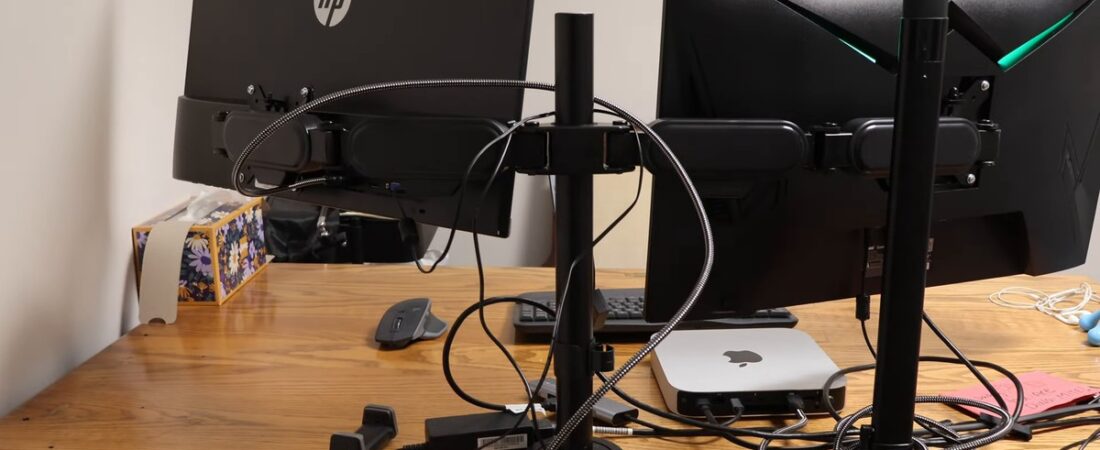
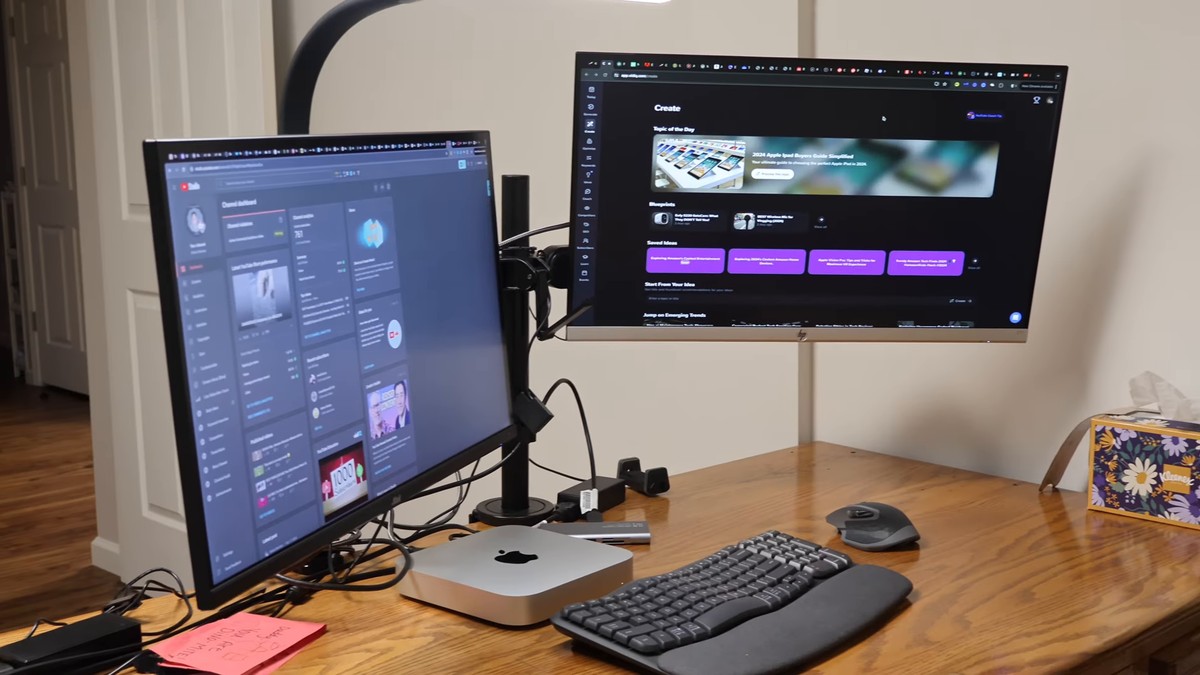
Yes, if you run two monitors and want them off the desk. Install was pretty straightforward. Stability is really good. My desk got a lot cleaner and easier to get around. One catch: my HP 27f needed an adapter before it would go on the arm. ELESTAND sent me this one, and I still give my full and honest opinion.
ELESTAND Dual Monitor Mount with headphone holder. The one I set up: Get Deal. Heads up: Amazon shows it as currently unavailable, so check the listing before you count on it.
In-stock alternative: VIVO STAND-V002 Dual Monitor Desk Mount. This is not the mount in my video. Per its listing it fits 13 to 30 inch monitors, and it has no pole lock or headphone hook. Check the live listing for today’s price.
As an Amazon Associate I earn from qualifying purchases.
What I actually showed
This is a short setup video, not a long-term test. Here’s what’s in my video:
- The box has a whole bunch of pieces. Screws, the mounts themselves. You need every one of them to put it together.
- You can mount it two ways: clamp-on or screw-in.
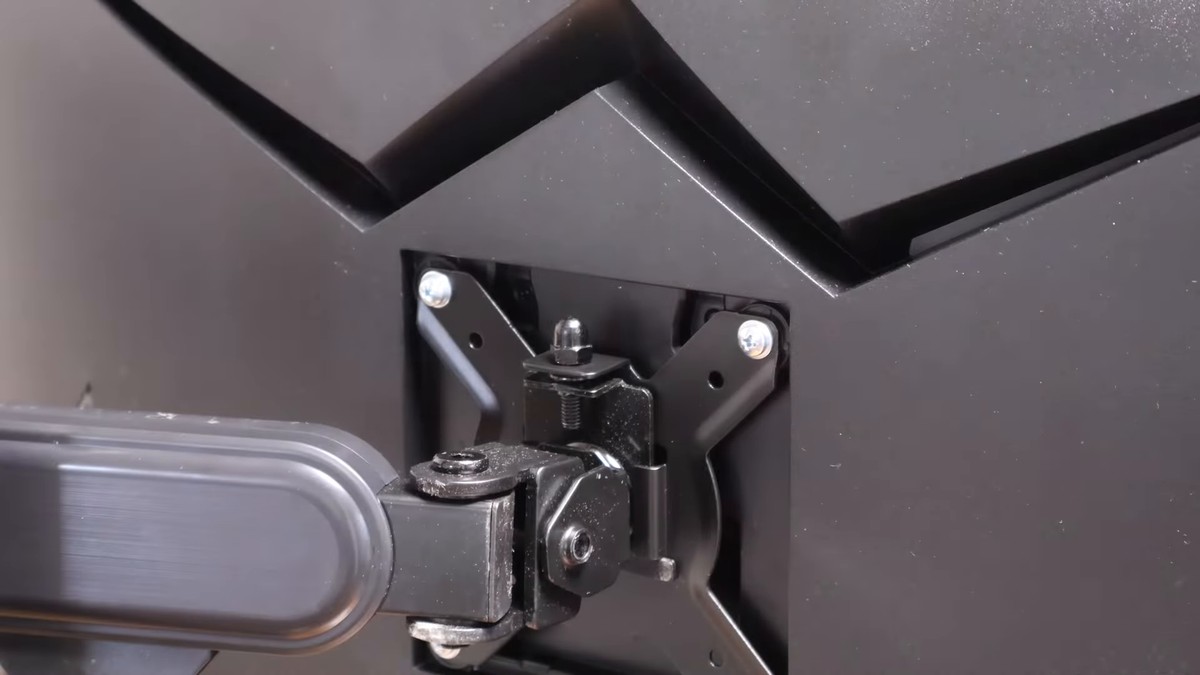
- My HP 27f needed an adapter. After that, it was very simple to attach.
- The stability is really good.
- There’s a headphone holder on it.
- My desk is a lot cleaner and easier to navigate. Less clutter. It improved my workspace.
- My cable management still needs work. That part’s on me.
- The light on my desk is my own. It’s not part of the mount.
Is it hard to install?
No. It’s pretty straightforward. Lay everything out first, because you’ll use every piece. Pick clamp-on or screw-in based on your desk.
Will my monitor need an adapter?
Maybe. My HP 27f did. Check the back of your monitor before you buy. The listing says the arms fit 75 × 75 mm and 100 × 100 mm VESA patterns. Spec, not a test I ran. If your screen doesn’t have one of those, plan on an adapter.
Spec strip
From the Amazon listing. Spec, not a test I ran.
- Screens: 13 to 32 inches, two monitors
- Weight: up to 22 lbs per arm
- VESA: 75 × 75 mm and 100 × 100 mm
- Adjust: tilt ±90°, swivel ±180°, rotate 360°
- Base: C-clamp or grommet
- Extras: headphone holder (the pole lock) and cable management along the arm
Pros and cons
- ✅ Straightforward install with everything in the box
- ✅ Clamp-on or screw-in, so it fits more desks
- ✅ Stability is really good once it’s up
- ✅ Headphone holder built in
- ✅ Gets two monitors off the desk and cuts clutter
- ❌ Some monitors need a separate adapter, like my HP 27f
- ❌ Lots of small pieces to sort before you start
- ❌ Clean cables still take your own effort
- ❌ Capped at 32-inch screens and 22 lbs per arm per the listing (spec, not a test I ran)
Who it’s for
- Two-monitor desks that want the screens off the surface
- Anyone who wants a headphone holder on the same mount
- Desks that can take a clamp or a screw-in base
Who it’s not for
- Screens bigger than 32 inches or heavier than 22 lbs (per the listing)
- Anyone who doesn’t want to deal with an adapter if their monitor needs one
- One-monitor setups
Rest of the desk
Building out the same workspace? Here’s the chair side: best office chair under $200 for big guys.
FAQ
Is the ELESTAND dual monitor mount hard to install?
No. It’s pretty straightforward. You use every piece in the box.
Does it clamp or screw into the desk?
Both. You get a clamp-on option and a screw-in option.
Will my monitor fit without an adapter?
Depends on the monitor. My HP 27f needed one. The listing says 75 × 75 and 100 × 100 VESA.
Is it stable?
Yes. The stability is really good on my desk.
Does it have a headphone holder?
Yes. It’s built in.
Did ELESTAND send it to you?
Yes. ELESTAND sent me this one. My opinion is still my own.
Bottom line
If you want dual monitors, a headphone holder, and a cleaner desk, this might be the one for you. The one I set up: Get Deal. It shows currently unavailable right now, so check the listing. If it’s still out, the VIVO STAND-V002 above is the in-stock alternative (not the one I set up).
Watch the full setup on KeliiDiscovers, and catch more on my channel at youtube.com/@keliidiscovers.
Mahalo and Aloha.
Leave a Reply