Quick take
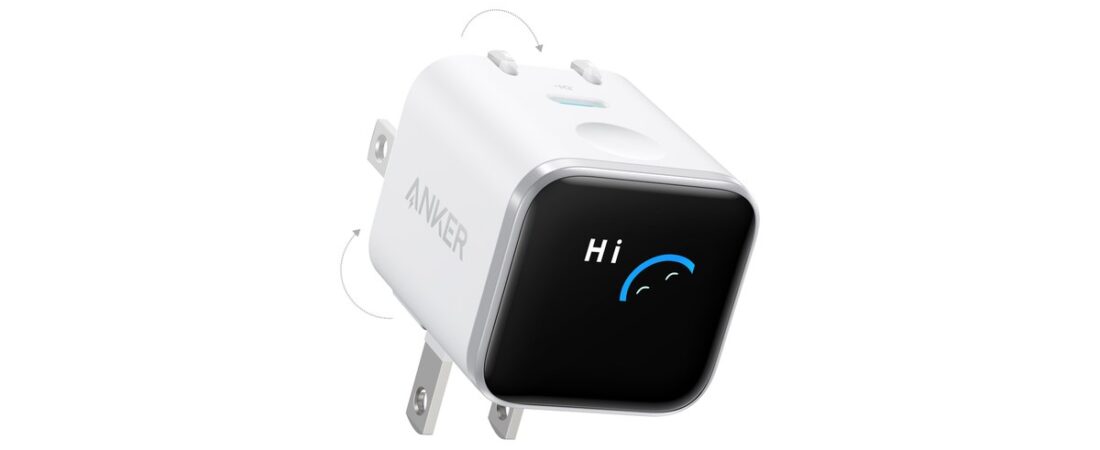
If you charge your phone next to the bed, the slow mode and the screen are why I’d pick this charger. I filmed it in a 58-second Short. The screen is the part I care about. It shows your battery percentage right on the block, and it recognizes the phone you plug in. Slow mode is a tap away. It’s 45W USB-C, plug and play, and I’d take it over the overpriced big-name bricks.
One fix to my video: I said a triple tap flips the screen. Anker’s manual says press and hold for 2 seconds. More on that below.
Here’s the fuller version. Apple says an iPhone stops charging when it’s full, so overnight isn’t an overcharging problem. Heat is what wears a battery down.
Product box
Anker Nano Charger (45W, Smart Display, 180° Foldable), model A121D.
Anker lists it at $39.99. Price moves, so check the live listing.
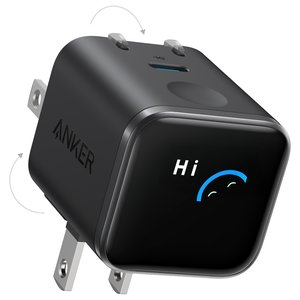
Also on Anker’s site: Anker Nano Charger on anker.com
As an Amazon Associate I earn from qualifying purchases.
Watch the Short
I never say the brand on camera. The charger in the video is the Anker Nano Charger (45W, Smart Display), model A121D. It’s the one on the video’s shopping shelf. Around the 8-second mark I show the battery percentage on the charger, and right after that I explain how it recognizes your phone.
What I showed in the video
- The screen shows your phone’s battery percentage on the charger itself.
- It recognizes what phone you plugged in, so it knows how to charge it.
- Slow mode is a tap away.
- It’s 45W USB-C. Plug it in and go.
- The plug rotates, and so does the screen, so you can use it either way.
- A single tap wakes it up. A double tap selects your option.
That’s why I called the old one a dumb brick. A plain brick doesn’t tell you anything. This one shows you what’s going on while your phone charges.
The screen is the part I care about
The listing says 50% in 20 minutes. That’s Anker’s number, not mine. I didn’t time it. What I care about is the screen. You look at the outlet and see the battery percentage without picking up your phone. It also shows which phone is plugged in, and it charges to match.
From Anker’s page: that 50% figure is an iPhone 17 Pro in Anker’s lab. Which phones get the percentage is in the phone section below.
Is slow mode worth it for overnight charging?
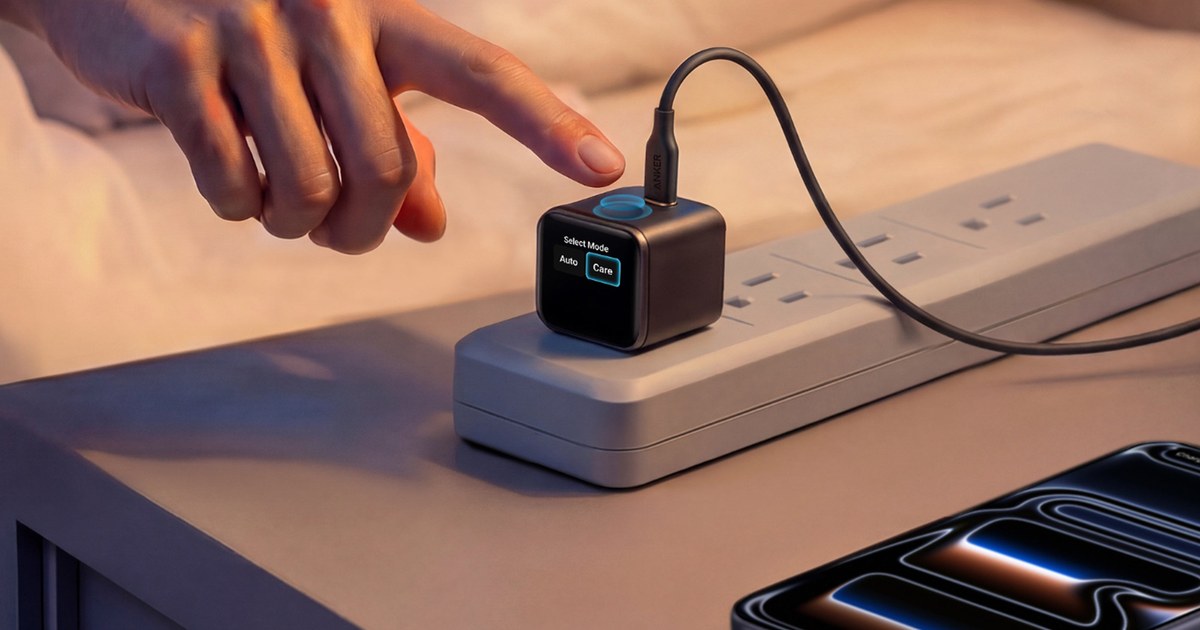
My hook in the Short was that overnight charging is what’s killing your phone, and this has a slow mode a tap away. That slow mode is what Anker calls Care Mode. It’s the reason I’d put this one by the bed instead of a plain brick.
From Anker’s manual and product page, not a test I ran: Care Mode caps output at 20W, versus up to 45W in Auto. Anker says Care Mode keeps your phone battery up to 9°F cooler than other 45W chargers, based on its own lab test. I didn’t measure temperature.
LTT Labs found Care Mode switches back to Auto when it’s unplugged, so tap it again at bedtime.
Controls: what I did vs what Anker’s manual says
In my video I said triple tap flips the screen, double tap selects your option, and single tap wakes it up.
Anker’s manual says tap once for status, double-tap to switch modes, and press and hold 2 seconds to rotate the screen. Go with the manual on the flip. It rotates 180°, not 90°. There’s one touch area, no touchscreen.
Will it work with my phone?
From Anker’s page, plus one owner report:
- iPhone 15, 16, and 17 (not 17e): model name and battery percentage on screen.
- Older Lightning iPhones: they charge with a USB-C to Lightning cable. No percentage on screen.
- Samsung and Pixel: they charge, but no model or percentage. Anker says Galaxy S23+/Ultra and S24+/Ultra top out at 27W. An owner on Reddit said their Pixel charged slower than on Anker’s plain Nano 45W.
- iPhone 18: Anker’s newer listing says recognition comes by an Anker app update. Sister post: iPhone 18 Pro.
Price: affordable vs the big brands
In the Short I said you can get one of these for an affordable price instead of buying the overpriced Apple ones or the other major brands. That’s still my take. You get a screen and a slow mode without paying big-brand prices.
If there’s a sale going on when you check, take it. There’s no guarantee it comes back.
The shopping shelf on my Short points to a 2-pack on Anker’s site. The Get Deal button goes to the single on Amazon. Check the live listing.
Spec strip
From Anker’s product page and manual. Spec, not a test I ran.
- Output: 45W max (Auto), 20W max (Care), one USB-C port
- Size: 34 × 35.5 × 40 mm, 75 g (2.65 oz)
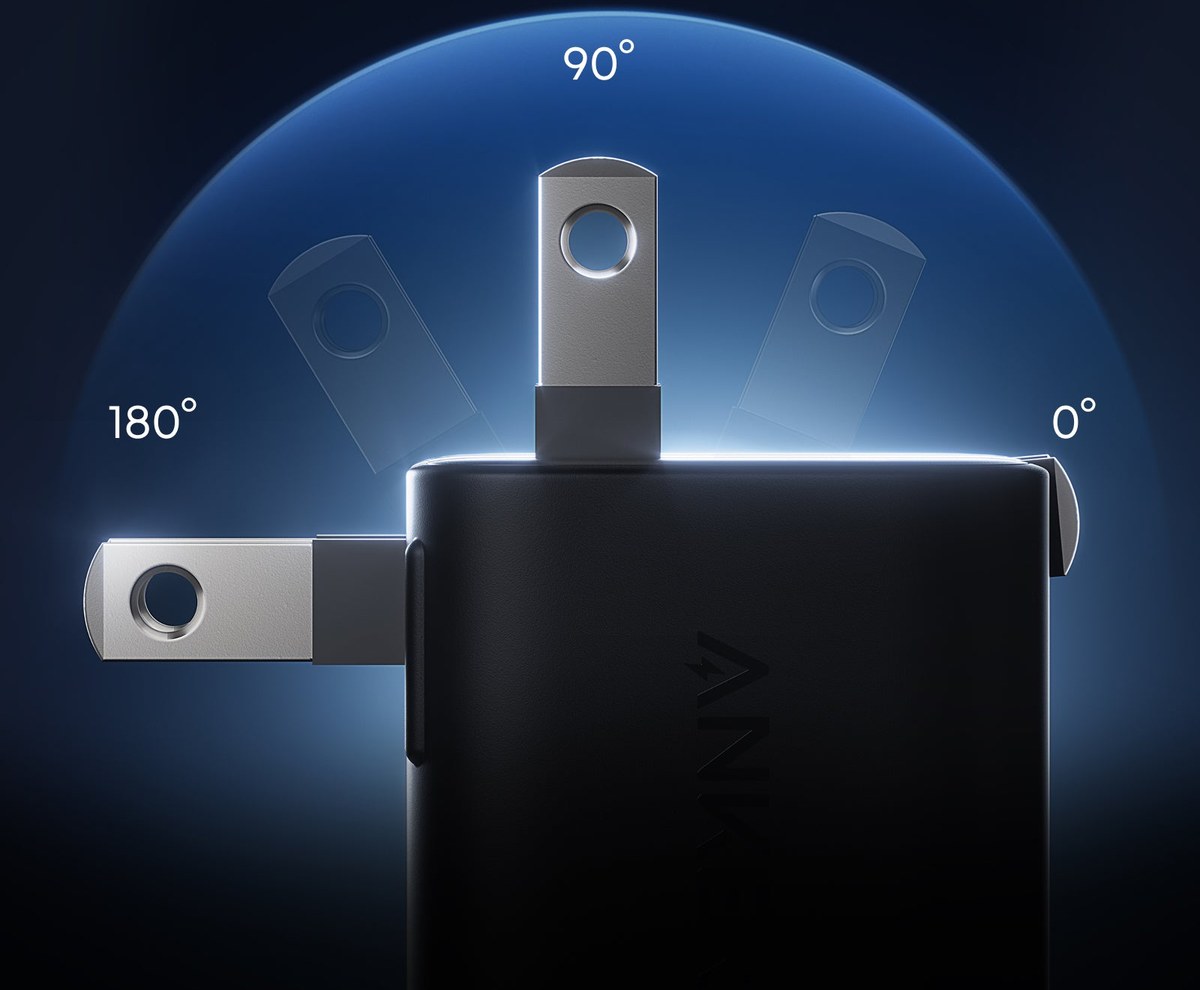
- Prongs fold flat; lock at 90° or 180°
Pros and cons
Pros
- Battery percentage on the charger
- Recognizes the phone you plug in
- Slow mode a tap away
- 45W USB-C, plug and play
- Screen flips so it reads either way
Cons
- One port, one device
- No cable included
- Phone model display is iPhone 15 and newer only
- Care Mode resets when unplugged (per LTT Labs)
- Rotate is a 2-second press
Who it’s for
- Anyone charging an iPhone next to the bed who wants a slow mode
- People who want to see the battery percentage without grabbing the phone
- Anyone done paying big-brand prices for a brick
Who it’s not for
- Anyone who needs two ports
- Older Samsung Plus/Ultra owners chasing top speed
FAQ
Is it bad to charge your iPhone overnight?
No. Apple says iPhone stops charging when it’s full and it’s safe to leave plugged in overnight. Heat is the bigger worry, which is what Care Mode is for.
What does Anker’s Care Mode actually do?
It caps the charger at 20W, per Anker’s manual. Slower charging runs cooler.
Auto vs Care Mode: which should I use?
Auto for speed during the day, Care at night when you have hours.
Does the Anker smart display charger work with Samsung?
Yes, it charges them, but the screen won’t show the model or percentage.
How do you rotate the screen?
Press and hold for 2 seconds, per Anker’s manual. I said triple tap in my video. Go with the manual.
Does it come with a cable?
No. Bring your own USB-C cable.
Close
That’s the 58-second version, written out. The screen is why I’d pick this over a dumb brick, and slow mode is a tap away when you go to sleep. Hit the button below or the basket in the Short.
Charging away from the wall? I clipped a solar bank to my jeans and charged a phone in my Blavor solar power bank post.
Watch more on my channel at youtube.com/@keliidiscovers.
Mahalo.
Leave a Reply